
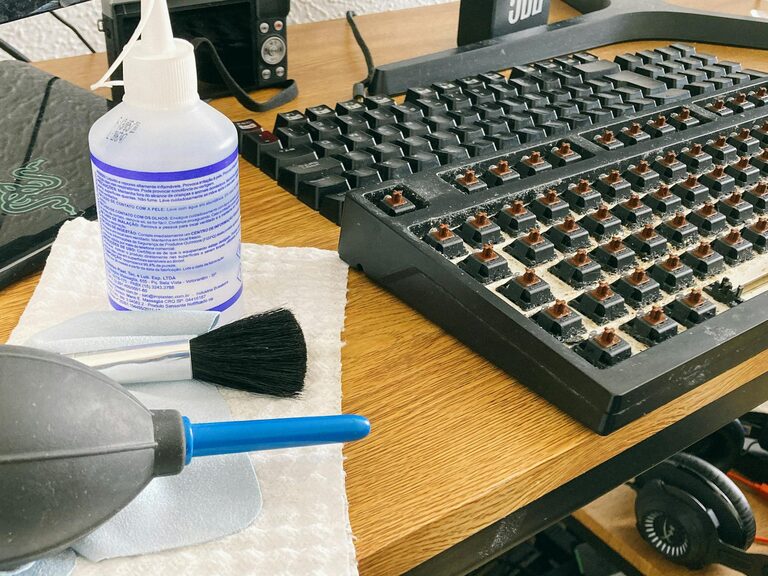
Keeping your phone and keyboard clean is not only about aesthetics—it’s essential for maintaining hygiene and extending the life of your devices. Since these items come into frequent contact with your hands and face (in the case of phones), they can accumulate dirt, oils, and germs. But cleaning them incorrectly might damage sensitive surfaces or components. This guide will walk you through safe, effective steps to clean your phone and keyboard without causing harm.
Why Regular Cleaning Matters
Our phones and keyboards harbor many bacteria, some of which can cause illness. Routine cleaning reduces the risk of transferring germs and helps keep your devices functioning well. Moreover, dust and debris buildup inside a keyboard can affect key responsiveness, and grime on your phone screen can interfere with touch sensitivity.
What You’ll Need
Before starting, gather these simple items:
– Microfiber cloths (preferably lint-free)
– Cotton swabs
– Isopropyl alcohol (70% concentration or less)
– Distilled water
– Mild liquid soap
– Compressed air canister (optional)
– Small soft brush (optional)
– Toothpick or soft plastic tool (optional)
Avoid using bleach, ammonia-based cleaners, or abrasive materials, as they can damage screens and surfaces.
How to Clean Your Phone Safely
1. Power Off Your Phone
Start by turning off your device and unplugging any cables or accessories. This prevents accidental taps and protects your phone’s internal components.
2. Remove the Case and Accessories
Take off any phone case, screen protectors, or attachments so you can clean those separately and reach all areas of the phone.
3. Prepare a Cleaning Solution
Mix equal parts distilled water and isopropyl alcohol in a small spray bottle if available. This mixture is effective at killing germs without harming most phone surfaces.
Tip: Do not spray the solution directly onto your phone.
4. Wipe the Screen and Body
Lightly dampen a microfiber cloth with the solution and gently wipe the screen, back, and sides. Avoid excess moisture and never let liquid seep into openings like charging ports or speaker grilles.
5. Clean Small Areas with Cotton Swabs
Use cotton swabs lightly dampened with the solution to clean around buttons, camera lenses, charging ports, and speaker openings. Be gentle and avoid pushing debris further inside.
6. Dry and Reassemble
Use a dry microfiber cloth to remove any remaining moisture. Allow your phone to air dry completely before putting the case back on and turning the device on.
7. Clean Your Phone Case
If your case is silicone or plastic, wash it with mild soap and water. Rinse well and dry before reattaching. For leather cases, follow specific care instructions from the manufacturer.
How to Clean Your Keyboard Safely
1. Unplug or Turn Off the Keyboard
If you have a wired keyboard, disconnect it from your computer. Wireless keyboards should be powered off to minimize risk.
2. Shake Out Loose Debris
Turn the keyboard upside down and gently shake it to dislodge crumbs, dust, or hair trapped under the keys.
3. Use Compressed Air to Remove Dust
Hold a can of compressed air upright and blow between the keys to clear out deeper dust particles. Keep the can at least a few inches away to avoid moisture buildup.
4. Wipe the Surface and Keys
Dampen a microfiber cloth with a mixture of water and a small amount of mild soap. Wring out excess moisture before wiping all key surfaces and the keyboard body.
5. Clean Between Keys With a Brush or Cotton Swabs
A soft brush (like a clean paintbrush) can help loosen dirt between keys. For stubborn dirt, slightly moisten a cotton swab with the cleaning solution and carefully clean around and between keys.
6. Use a Toothpick for Hard-to-Reach Gunk
If any debris remains lodged between keys, gently use a toothpick or soft plastic tool to remove it. Avoid using metal instruments which might damage the keyboard.
7. Allow to Dry Before Use
Make sure the keyboard is completely dry before reconnecting or powering it on to avoid electrical issues.
Additional Tips for Device Care
– Clean your gadgets regularly—weekly for keyboards, and at least a few times per week for phones.
– Wash your hands before using devices to reduce grime buildup.
– Consider using keyboard covers and washable phone cases for easier maintenance.
– Avoid eating or drinking near your devices to prevent spills and crumbs.
Conclusion
Cleaning your phone and keyboard doesn’t have to be a complicated or risky task. By following these safe cleaning methods, you can keep your devices looking good, working well, and free from harmful germs. A little care goes a long way in protecting your investment and promoting a healthier workspace.
Happy cleaning!